NAS_0x04_使用rsync维持重要数据的多个副本(二)
0x01 为什么要用Ofelia执行定时任务
It has been a long time since cron was released, actually more than 28 years. The world has changed a lot and especially since the Docker revolution. Vixie’s cron works great but it’s not extensible and it’s hard to debug when something goes wrong.
Many solutions are available: ready to go containerized crons, wrappers for your commands, etc. but in the end simple tasks become complex.
0x02 Ofelia介绍
Ofelia is a modern and low footprint job scheduler for docker environments, built on Go. Ofelia aims to be a replacement for the old fashioned cron.
The main feature of Ofelia is the ability to execute commands directly on Docker containers. Using Docker’s API Ofelia emulates the behavior of exec, being able to run a command inside of a running container. Also you can run the command in a new container destroying it at the end of the execution.
0x03 效果测试
Ofelia的计划任务配置文件如下。
[job-exec "rsync"]
schedule = 0 35 8 * * *
container = CentOS7
command = bash /mnt/TiPlus5A/Docker/CentOS7/rsync/rsync-datacenter.sh &> /dev/null
配置文件中的schedule字段需要注意,并非与crontab的语法完全一致,ofelia的语法规则官方释义如下所示。而且,还需要注意时间的换算,默认情况下ofelia按照UTC时间来执行任务,在这里想要18:35执行测试任务,在配置文件中就需要写成08:35。
A cron expression represents a set of times, using 6 space-separated fields.
Field name   | Mandatory? | Allowed values  | Allowed special characters
----------   | ---------- | --------------  | --------------------------
Seconds      | Yes        | 0-59            | * / , -
Minutes      | Yes        | 0-59            | * / , -
Hours        | Yes        | 0-23            | * / , -
Day of month | Yes        | 1-31            | * / , - ?
Month        | Yes        | 1-12 or JAN-DEC | * / , -
Day of week  | Yes        | 0-6 or SUN-SAT  | * / , - ?
Note: Month and Day-of-week field values are case insensitive. “SUN”, “Sun”, and “sun” are equally accepted.
尝试以交互-it的方式运行测试,可以看到rsync脚本成功地按照计划时间被执行。
root@UGREEN-4567:~/docker/ofelia/config# docker run -it -v /root/docker/ofelia/config:/etc/ofelia -v /var/run/docker.sock:/var/run/docker.sock --name Ofelia  mcuadros/ofelia
2023-02-01T08:34:23.284Z  scheduler.go:34 ▶ NOTICE New job registered "rsync" - "bash /mnt/TiPlus5A/Docker/CentOS7/rsync/rsync-datacenter.sh &> /dev/null" - "0 35 8 * * *"
2023-02-01T08:34:23.284Z  scheduler.go:54 ▶ DEBUG Starting scheduler with 1 jobs
2023-02-01T08:35:00.001Z  common.go:125 ▶ NOTICE [Job "rsync" (31dd9cfd2710)] Started - bash /mnt/TiPlus5A/Docker/CentOS7/rsync/rsync-datacenter.sh &> /dev/null
2023-02-01T08:44:10.817Z  common.go:125 ▶ NOTICE [Job "rsync" (31dd9cfd2710)] Finished in "9m10.816247963s", failed: false, skipped: false, error: none
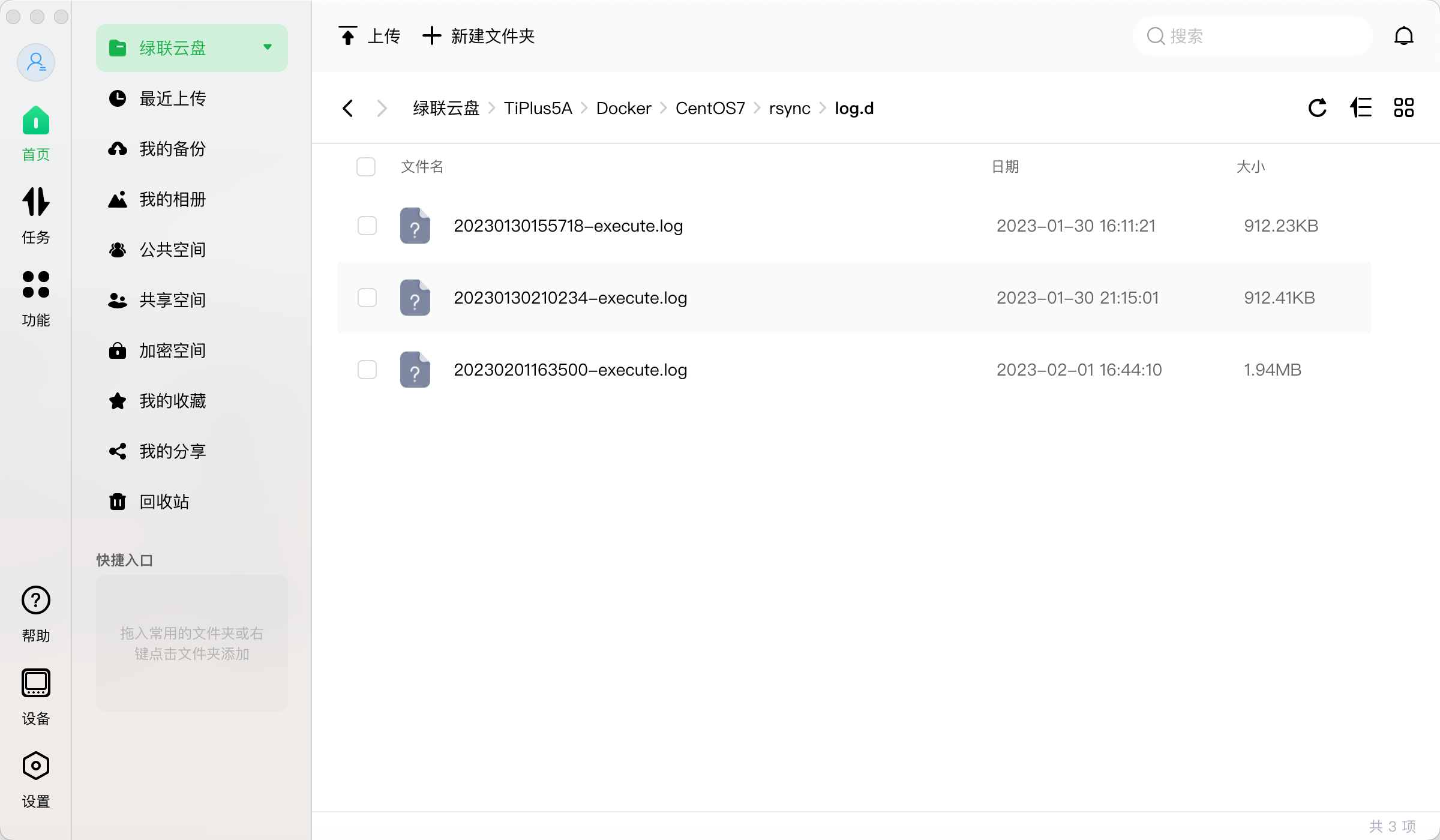
检查日志文件,也正常生成在指定目录中。
0x04 正式部署
确认这种方式可行后,进行正式环境配置。
root@UGREEN-4567:~/docker/ofelia# tree
.
|-- config
|   `-- config.ini
|-- log
`-- run.sh

2 directories, 2 files
root@UGREEN-4567:~/docker/ofelia# cat run.sh
docker run -d -v /root/docker/ofelia/config:/etc/ofelia -v /var/run/docker.sock:/var/run/docker.sock --name Ofelia  mcuadros/ofelia
root@UGREEN-4567:~/docker/ofelia# cat config/config.ini
[job-exec "rsync"]
schedule = 0 35 23 * * *
container = CentOS7
command = bash /mnt/TiPlus5A/Docker/CentOS7/rsync/rsync-datacenter.sh &> /dev/null
root@UGREEN-4567:~/docker/ofelia#
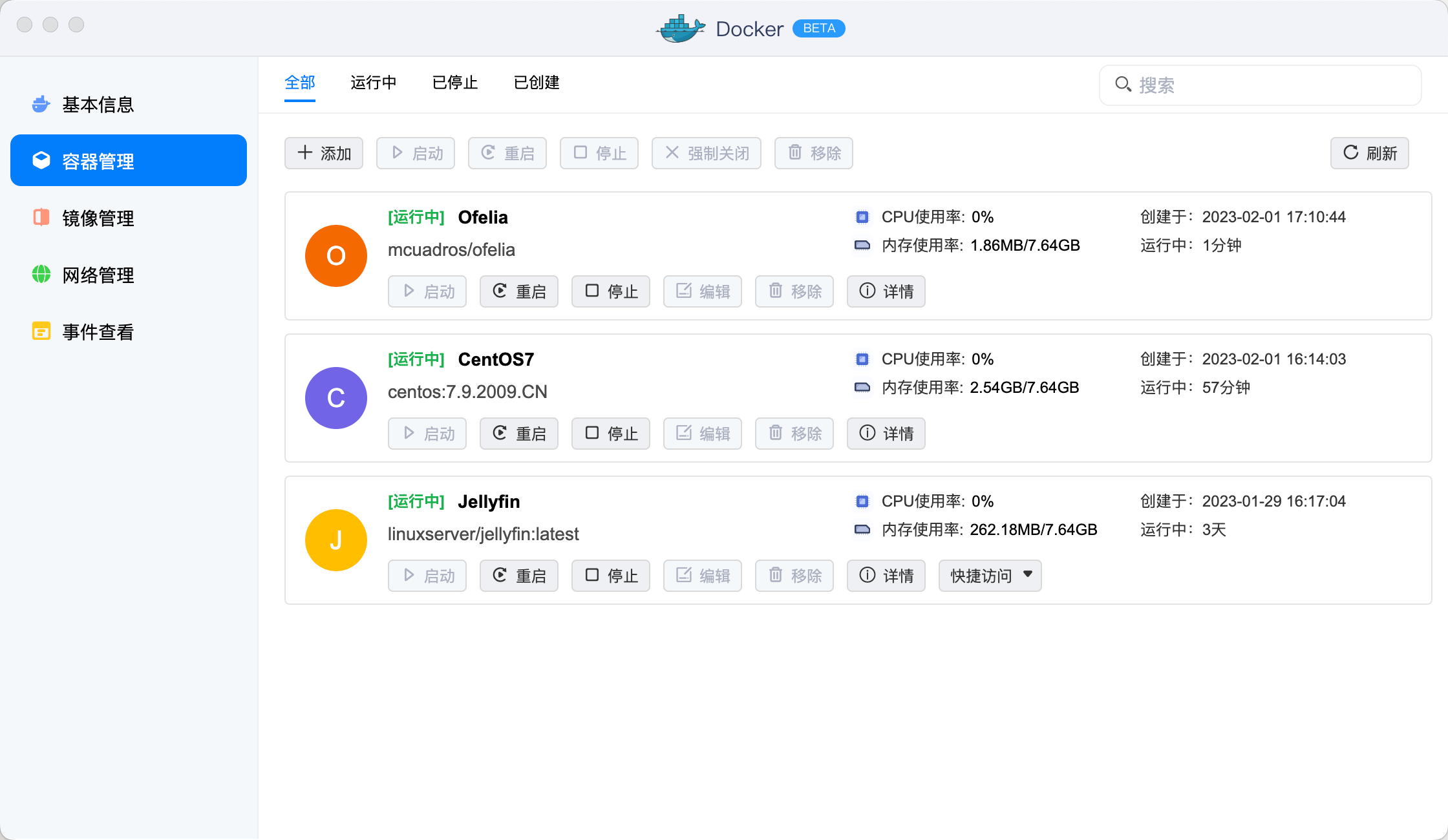
与刚刚的测试相比,修改了两处地方。其一,就是以常驻服务-d的模式运行ofelia;其二,就是将执行同步的时间设定为每天早晨07:35。运行后可以在NAS的容器管理界面中查看到,这个手工运行的容器,不错,Nice!